How to pay
Pay with Telegram, step by step
Telegram payment is the easiest route if you have the app: your usual card, Apple Pay, or Google Pay works inside Telegram, and nothing about the purchase touches your bank statement here. It's a simple two-step idea:
- 1.You get Stars — Telegram's own in-app credit — using your normal payment method.
- 2.You pay our invoice with those Stars, and your fuckgen credits land automatically.
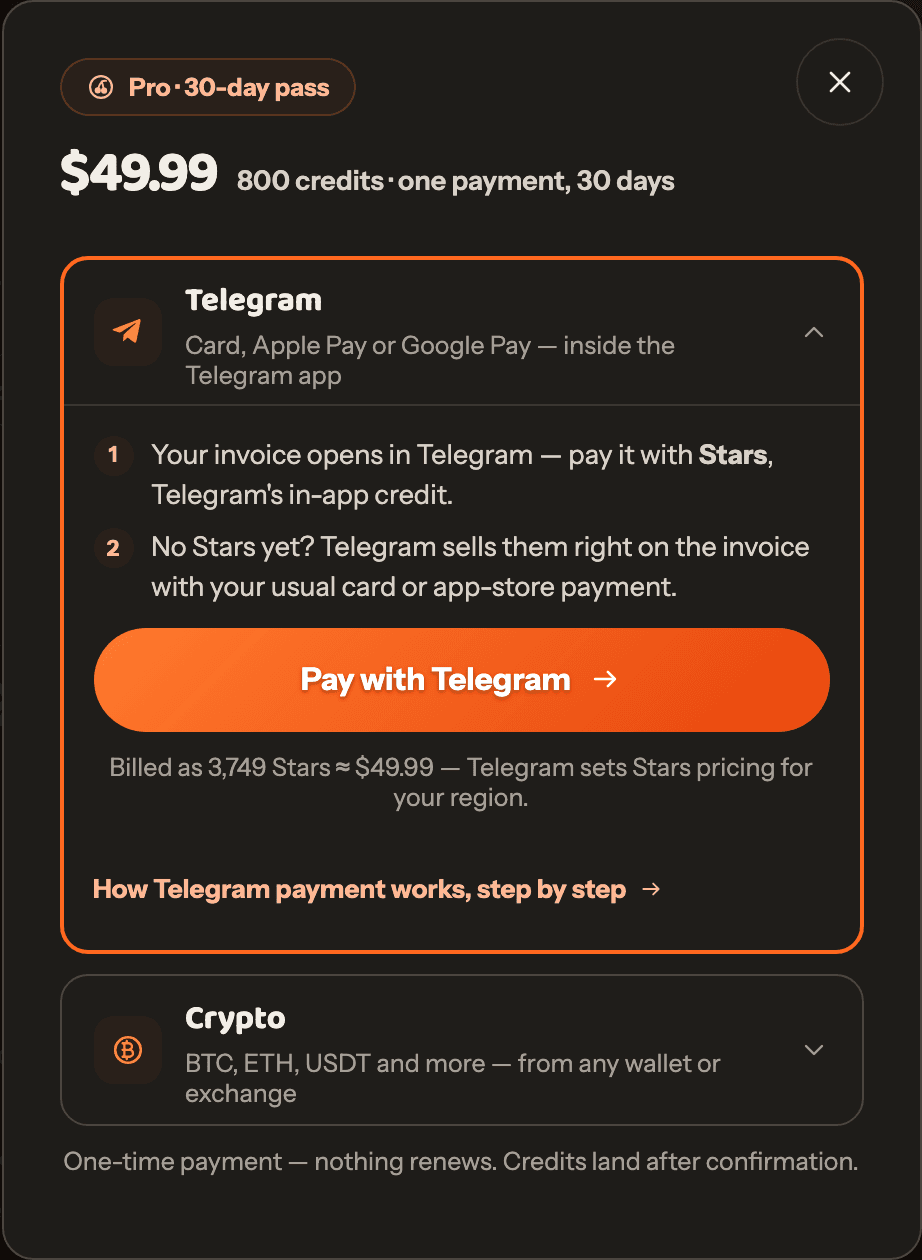
Start checkout and pick Telegram
On the pricing page, choose your plan or pack, then pick Telegram in the payment window. The button shows the exact Stars price before you commit to anything.
Pay the invoice in Telegram
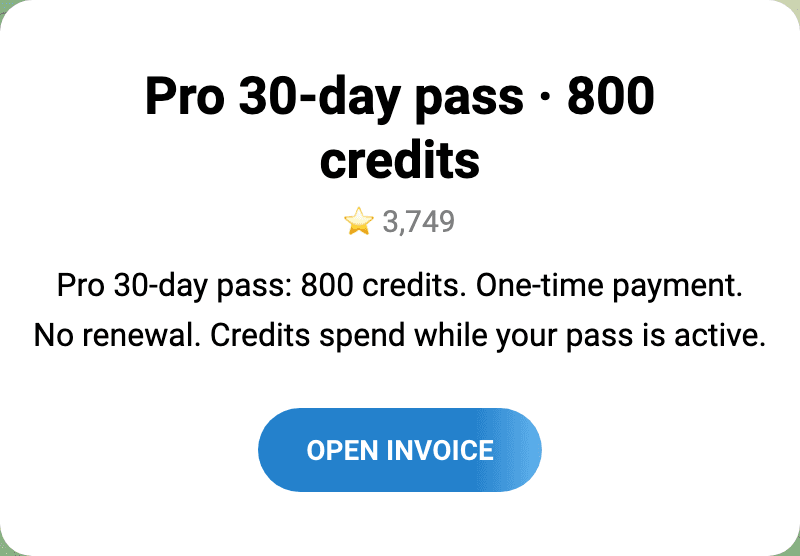
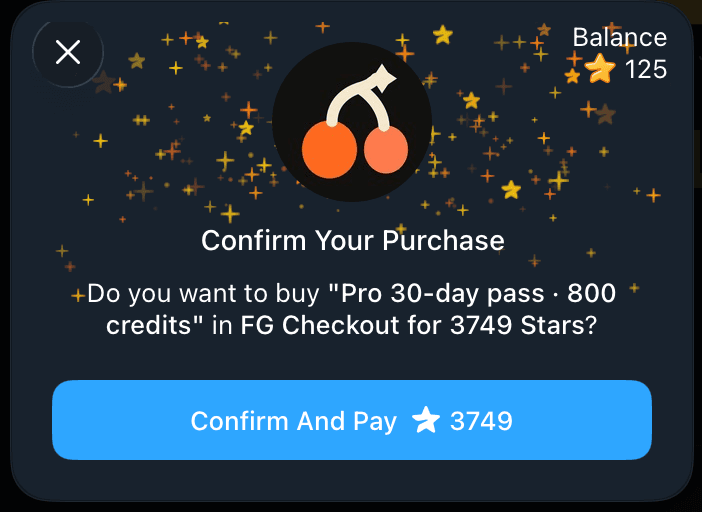
Telegram shows your invoice — hit Open Invoice and it lands in the app, issued by our checkout bot. If you already have enough Stars, one tap finishes the payment.
No Stars yet? Telegram offers them right on the invoice — pay with card, Apple Pay, or Google Pay. You can also stock up in advance from Telegram's official @PremiumBot.
Come back — your credits land on their own
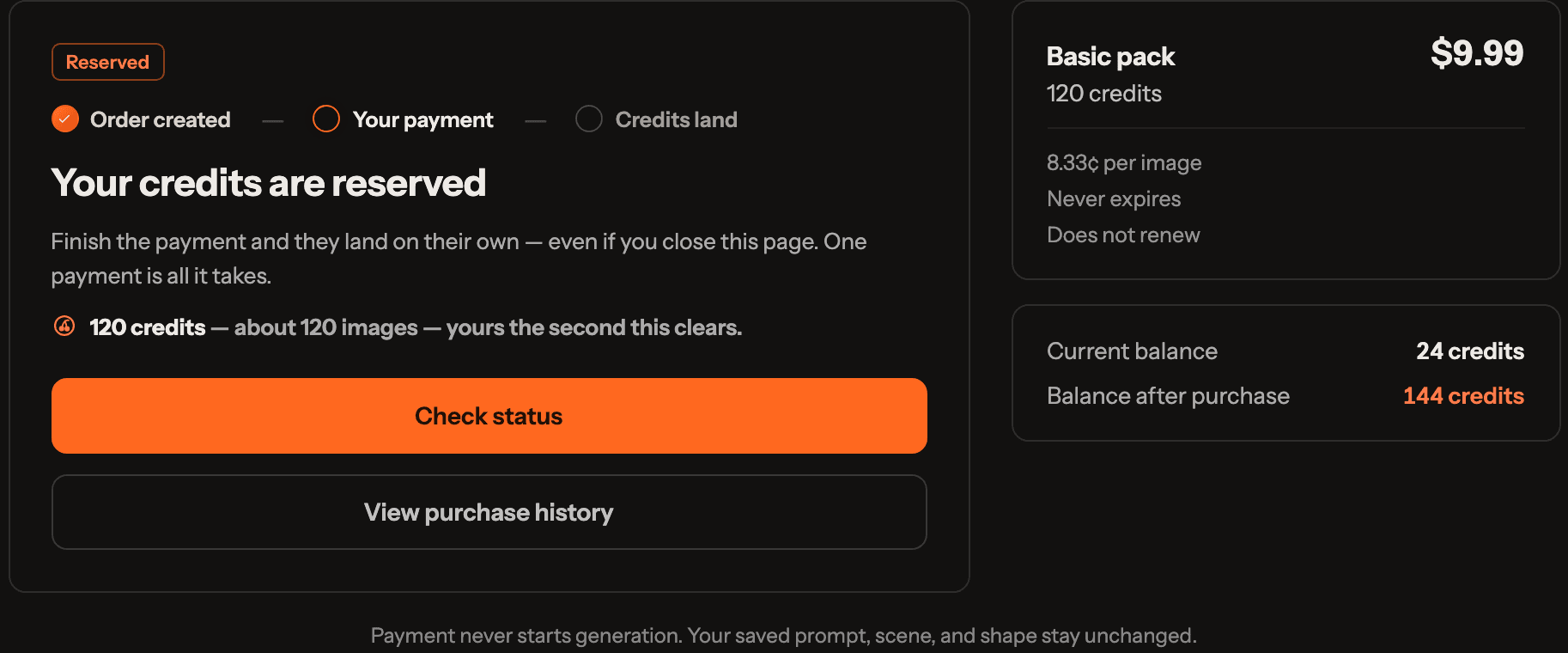
Return to the fuckgen tab. The checkout page watches for the confirmation and adds your credits the moment Telegram confirms the payment — no refresh needed. Buying credits never starts a generation, and your saved prompt stays untouched.
Good to know
- Credits didn't show up? In Telegram, open Settings → My Stars. Check two things: did the Stars purchase itself go through, and were the Stars actually paid to the invoice? Then hit Check payment status on the checkout page.
- Card declined while buying Stars? That part is handled entirely by Telegram. Try Apple Pay or Google Pay in the mobile app, or buy the Stars from the web version at web.telegram.org.
- Stars price looks higher than the dollar price? Telegram sets Stars pricing per region and takes its own transaction fee — we don't add anything on top. The credits you receive are identical either way.
- Invoice expired? Nothing was charged. Start a fresh checkout from the pricing page — unpaid invoices never take money.
Stuck on a payment?
Tell us the plan or pack you bought and roughly when you paid the invoice. Write to [email protected] and we'll chase it down.